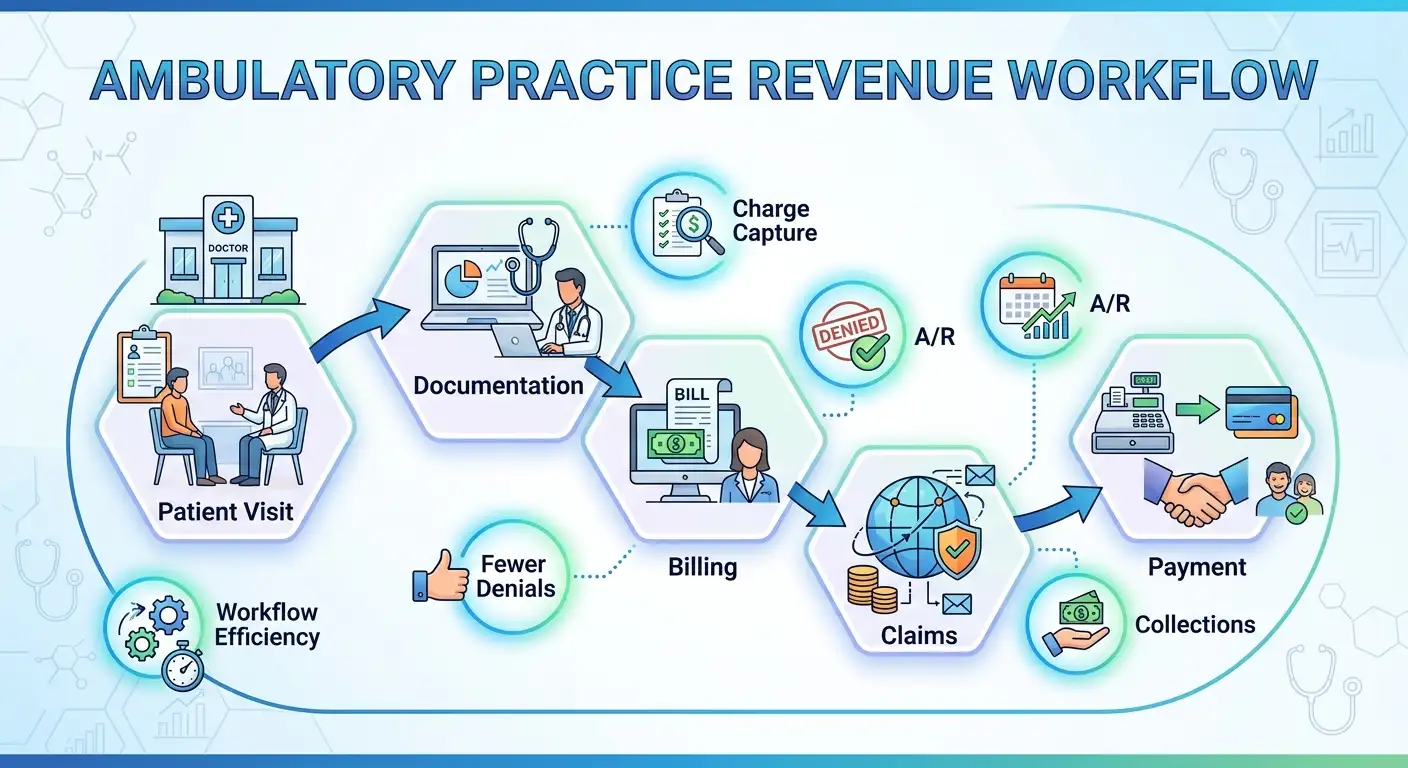


Manual work is part of every medical practice. Staff still need to review information, communicate with patients, resolve exceptions, and make decisions that require human judgment.
The problem starts when routine processes depend on people doing the same tasks over and over.
For example, re-entering information, checking portals, chasing documentation, and managing reminders can quietly consume hours. Over time, that work affects staff capacity, patient service, and financial performance.
This is where medical practice workflow automation can help. It reduces routine work while allowing your team to focus on tasks that need their expertise.
What Are the Signs Your Practice Relies Too Much on Manual Work?

Your practice may have a workflow problem when staff spend too much time on routine tasks. These may include moving information, checking work, or fixing simple errors.
Common warning signs include:
- The same information is entered into multiple systems.
- Staff frequently switch between EHR, billing, scheduling, and payer portals.
- Routine patient communications require individual follow-up.
- Claims or billing tasks sit in work queues waiting for staff attention.
- Staff maintain spreadsheets to track work that could be handled within practice software.
- Important tasks depend on one person remembering to complete them.
- Small workflow delays regularly create downstream work.
These issues may seem manageable on their own. However, repeating them hundreds of times each month can slow your practice down.
The American Medical Association (AMA) also recommends finding unnecessary work and improving how teams share tasks. Explore further in AMA’s guidance on building a well-run ambulatory practice.
Where Can Automation Help?
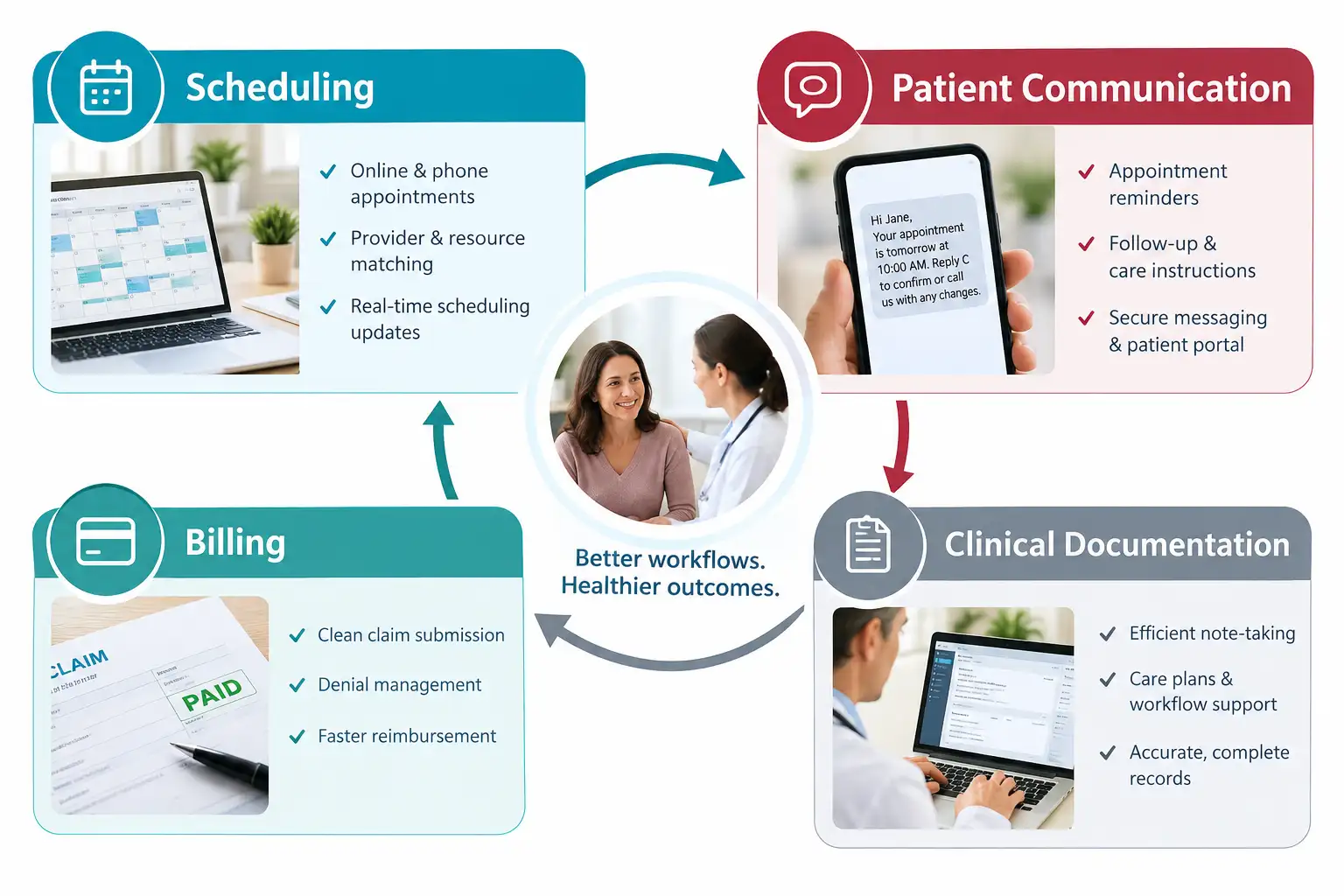
Automation works well for tasks that are repetitive, follow set rules, and happen often.
Depending on your practice, automation may help with:
- Appointment reminders and patient communications
- Digital intake and patient self-service
- Insurance eligibility verification
- Claims scrubbing and submission
- Routine follow-up tasks
- Patient scheduling and appointment requests
- Clinical documentation support
- Task routing and worklist management
- Reporting and performance monitoring
For instance, the Centers for Medicare & Medicaid Services (CMS) is moving toward more electronic prior authorization. This can reduce the need for manual, portal-based, and fax processes. CMS also notes that electronic workflows can help practices submit and track requests more easily.
The key is to automate a well-designed process. Automating a fragmented workflow can simply move the problem somewhere else.
How Does Workflow Automation Affect the Rest of the Practice?
Workflow problems rarely stay confined to one department. A delay at the front desk can affect clinical operations. A documentation issue can delay billing. A billing issue can affect cash flow.
Because these workflows are connected, improving them is about more than technology.
Start With the Work, Not the Software
Before evaluating new technology, map how your staff actually work.
Start by asking:
- Where are employees spending the most repetitive time?
- Where does information get entered more than once?
- Which tasks frequently require follow-up?
- Where do employees switch between systems or portals?
- Which processes create avoidable billing delays?
- Which patient requests could be handled through self-service?
- Where does work wait for a specific employee to take action?
A workflow review can reveal opportunities that are easy to miss during the daily routine.
For a closer look at this challenge, Virtual OfficeWare Healthcare Solutions (VOWHS) explores this issue in Medical Practice Administrative Burden, including how practices can identify repetitive processes before deciding what to automate.
Look Beyond Clinical Workflows

Automation should not be limited to the clinical side of the practice. Revenue cycle workflows can also involve repetitive work.
Claims monitoring, eligibility checks, payment follow-up, denial management, and A/R work can all affect how quickly a practice gets paid.
Effective revenue cycle management can help reduce administrative burden while keeping financial operations moving. VOWHS Revenue Cycle Management Services provides an example of how technology and specialized billing support can work together across the billing cycle.
What Should Ambulatory Practices Do Next?
Medical practice workflow automation does not have to mean a complete technology overhaul. Start with the processes creating the most friction.
Practice leaders should consider:
- Identify: Document repetitive tasks and workflow bottlenecks.
- Prioritize: Focus first on processes consuming significant staff time or creating downstream delays.
- Evaluate: Determine whether existing technology can automate or simplify the process.
- Measure: Track meaningful outcomes such as staff time, turnaround times, errors, denials, or patient response.
- Optimize: Review the workflow and address tasks that still require manual work.
Ultimately, the objective is simple: make it easier for your staff to do the work that matters most.
Technology should support your people, not create more work. The right workflow can reduce unnecessary steps and connect information more effectively. Most importantly, it can give your team more time to focus on patients and higher-value work.